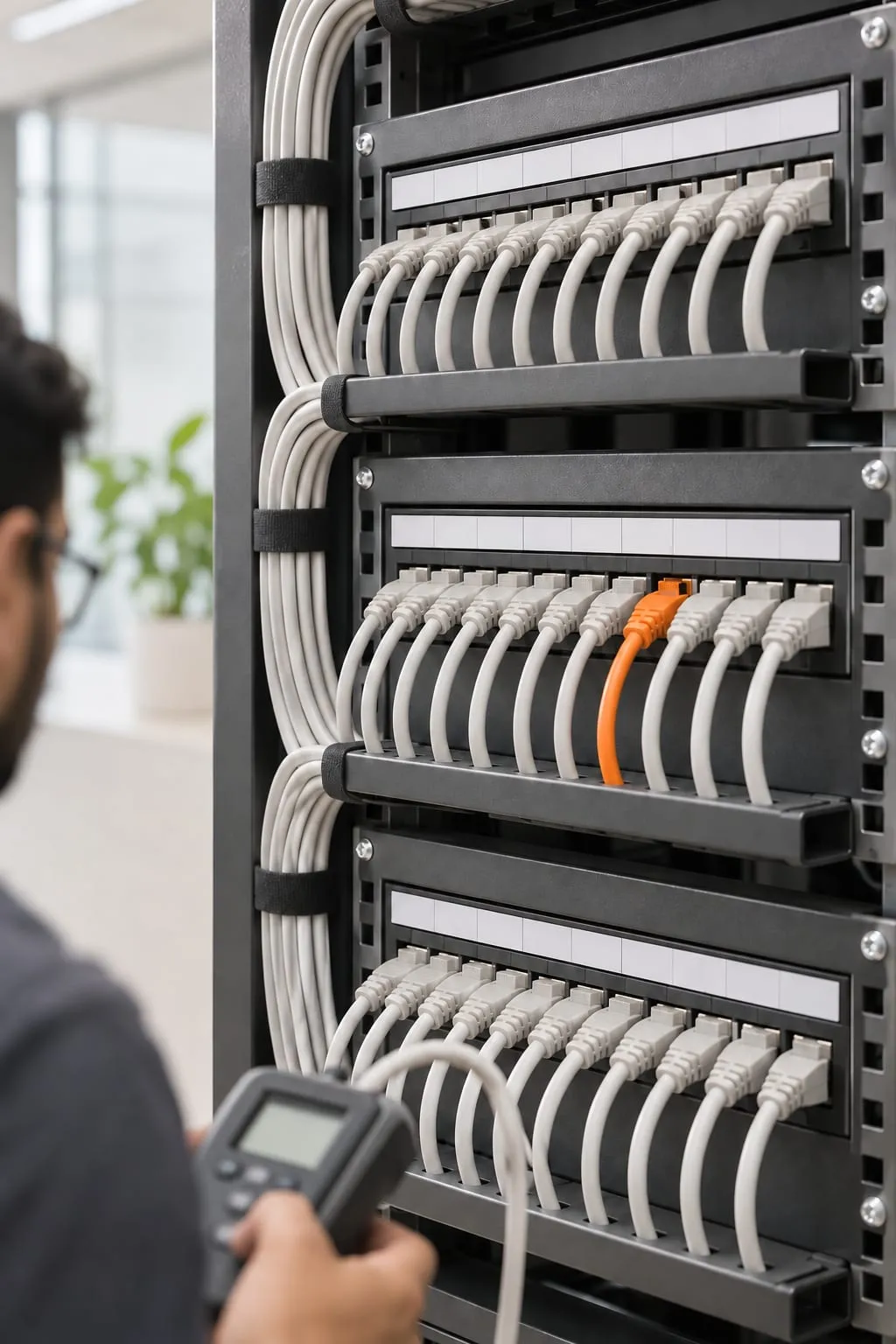
What should an enterprise network project include?
An enterprise network project should cover the cable routes and the applications using them. It must also prove that the finished system works. DTech Global plans structured cabling, LAN switching, routing, Wi-Fi and security as one design so individual purchases do not leave gaps between teams.
Start with how the site operates. A warehouse scanner does not use the network like a finance workstation. The reception desk has its own traffic too. Voice calls need consistent delivery; a design team moving large files needs capacity between workstations and storage. Counting desks alone misses printers, meeting rooms, access control, cameras and spare ports for changes in seating.
A survey records rack locations, power, ventilation, cable pathways and ISP entry points. The logical design adds subnets, VLANs, routing boundaries and firewall policies. A VLAN separates broadcast traffic, but access between VLANs still needs explicit control at a router or firewall. Guest Wi-Fi should reach the internet without becoming a route to payroll or server administration.
For a network installation in Pakistan, ask who handles each boundary: the cabling contractor, ISP, firewall administrator and internal IT team. Get those responsibilities into the proposal. An unexplained gap at the ISP handoff can delay an otherwise complete office network setup.
Which links need Cat6, Cat6A or fiber?
Cat6 and Cat6A suit many desk and access point connections, while fiber is usually the better choice for longer uplinks and links between buildings. Check the complete cable channel against the required speed and installation conditions. The label on the cable is only a starting point.
| Medium | Where it fits | What to check before specifying it |
|---|---|---|
| Cat6 copper | Typical desk connections and many existing office routes | Required speed at the installed distance, termination quality and cable grouping |
| Cat6A copper | New installations intended for 10 Gigabit Ethernet channels up to 100 meters | Pathway space, bend radius, compatible connectors and installation testing |
| Fiber | Building links, risers and higher-capacity switch uplinks | Fiber type, optics, termination method, link budget and spare strands |
Cat6 can support higher speeds over shorter distances, but that is not a reason to promise the same result on every installed run. Dense bundles and interference change the engineering decision. Cat6A takes more space and care to terminate, so the rack and tray design must allow for it. Copper also carries Power over Ethernet for access points and other compatible devices; power budgets need checking at the switch.
Fiber removes the conductive path between network ports, which matters when connecting separate buildings. The full route still needs suitable protection and attention to any metallic cable components. Specify the optical modules at both ends with the cable. A fiber run and an incompatible pair of transceivers do not make a working uplink.
Ask for labels at both ends and results for the agreed cabling tests. A green link light shows a connection, not that the installed channel meets the intended specification. Spare routes and accessible patch panels often make future changes easier than buying faster switches early.
What tells you the network needs a redesign?
Repeated faults across several users, unexplained congestion and unclear access boundaries justify a design review. A redesign is most useful when the problem follows a pattern that replacing a single cable or device does not resolve.
Wi-Fi complaints can come from interference, overloaded access points, unsuitable channels or client devices that hold onto a distant radio. Adding more access points without a channel plan can make contention worse. Predictive heat-mapping helps place radios initially, but walls, furniture and occupancy require validation on site. Coverage and usable capacity are separate acceptance checks.
Before approving equipment, collect evidence:
- Record the room, time and affected application for recurring faults.
- Compare wired and wireless behavior from the same area.
- Check uplink utilization and switch errors during busy periods.
- Identify unmanaged switches or undocumented connections under desks.
- Confirm whether guests or cameras can reach business subnets.
- Review firmware support and access to device configurations.
- Test what happens when the primary internet circuit is disconnected.
The findings may support a limited repair instead of a full replacement. A failed uplink, incorrect VLAN assignment or overloaded firewall can each affect many users. Check measurements and saved settings before deciding what to replace. Where the problem involves broader access control or incident exposure, coordinate the network changes with cybersecurity services.
How long does it take?
A straightforward office installation can often be planned and delivered in weeks once access, equipment and circuits are ready. A campus build usually needs several phases because civil routes, building access and shared services create dependencies beyond device configuration.
For general planning, a 20 to 50 user office with accessible cable routes may take one to two weeks for survey, installation and testing. That is an illustrative duration, not a delivery commitment. An occupied office with limited working hours can take longer than a larger empty floor. Equipment availability and ISP circuit delivery need separate dates in the schedule.
DTech Global surveys the site and reviews the design with you before installation. We stage the changes, then run the agreed acceptance tests. Before a production cutover, the plan should identify the configuration backup, rollback trigger and person authorized to accept an outage. A floor-by-floor migration may keep more of the business operating, although temporary connections and repeat visits add work.
Campus schedules also need alignment with rack power, riser access and server moves. If compute infrastructure is changing at the same time, coordinate with on-premise servers and data centers so network readiness precedes the application cutover. Define completion through tests and documentation, rather than the date the last switch arrives.
What drives the cost?
Network cost follows the physical installation effort, required capacity and consequences of failure. User count gives you a starting point. Cable routes, resilience and the work involved in running the network often explain why two proposals differ.
A short run through an accessible ceiling is different from a route requiring new containment, fire stopping or work outside normal hours. Fiber splicing, equipment racks, power provision and cooling may sit outside a basic port count. Confirm whether each proposal includes patch leads, optics, testing, labeling and removal of redundant cabling where required.
Switch selection depends on port speeds, uplink capacity, PoE demand and management features. Firewalls must be sized for the enabled inspection functions and traffic profile, not only a headline throughput figure. Access point counts depend on active devices and room use as well as floor area. Licensing and subscriptions should appear separately so recurring costs are visible.
Resilience also has a price in equipment and complexity. Two circuits only help if their failure paths are understood; two connections sharing a vulnerable entry route may fail together. Ask which failures the design addresses and which remain accepted risks. The bill of materials should explain what each purchase does. Mark spare capacity for growth separately so you can decide whether to buy it now.
How should branches and international sites connect?
Branches need consistent access policies and predictable paths to shared applications, with local internet access where it serves the business. SD-WAN can select paths across available circuits, but it cannot create bandwidth or remove the need to understand ISP failures.
Begin with a traffic map. Identify which applications live at headquarters, which are in the cloud and which can tolerate interruption. Voice, video meetings and file replication behave differently under congestion. Test link loss with real workflows so the acceptance check covers application recovery as well as a tunnel returning to service.
For international sites, DTech Global can combine remote design and configuration with supervised local partners for cabling and installation. The scope needs to name who surveys pathways, checks local requirements, receives equipment and supplies test evidence. Photos of labeled racks help remote review, but they do not replace physical cable testing or a local acceptance check.
Separate branch configuration templates from site-specific details such as addresses, circuits and emergency contacts. Remote management must have controlled access and a recovery method if the main tunnel fails. Branches using AWS cloud services also need the cloud connection and routing plan reviewed alongside the office firewall, rather than treated as a later exception.
What should you receive at handover?
You should receive enough information and access to operate the network without depending on the installer’s memory. At handover, DTech Global documents the installed layout and approved settings, including any work your team still has to take on.
The record should include physical and logical diagrams, rack layouts, cable schedules, IP ranges, VLAN assignments and the purpose of routing and firewall rules. Configuration backups need a date and a secure storage location. Record device support status and subscription renewal responsibilities without placing passwords in widely shared diagrams.
Acceptance evidence should show the agreed cable tests, wireless checks and failover results, with any exceptions recorded against an owner. Walk through routine tasks such as assigning a new port, finding a disconnected access point and restoring a saved configuration. For anything unresolved, write down its effect and the next action.
Monitoring should focus on conditions someone can act on: repeated link flaps, capacity limits, failed backups of configurations and device reachability. Agree who receives each alert and who contacts the ISP. Managed IT services can provide a continuing operational scope when your internal team needs help after installation. To discuss a new site or review an existing design, contact DTech Global with the floor plans and current network constraints.